Embed MCP Apps in A2UI Surfaces
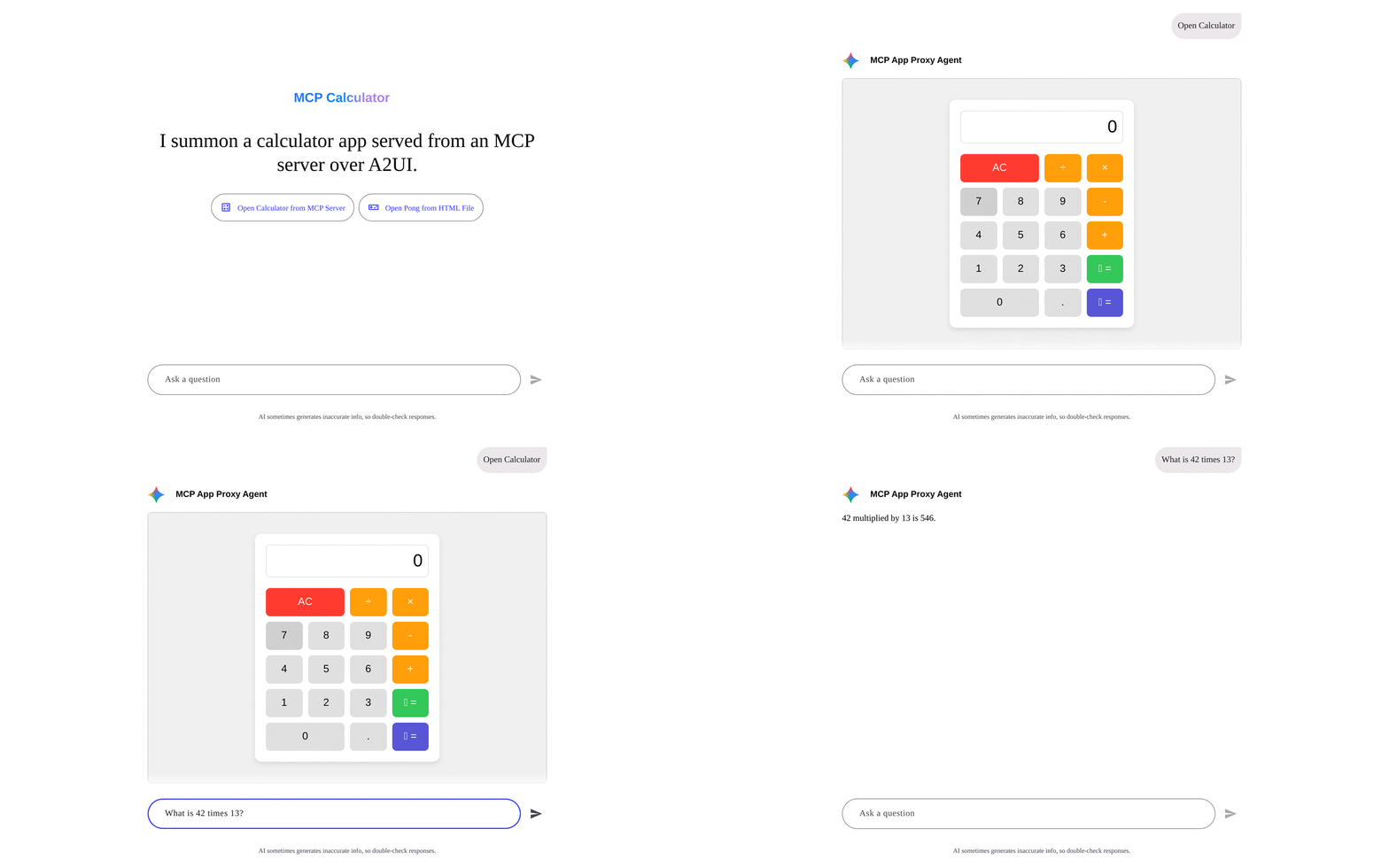
The McpApp component in @a2ui/catalog-mcp embeds interactive Model Context Protocol (MCP) Apps inside an A2UI surface so third-party HTML widgets, native A2UI components, and your agent stay in sync.
Standard A2UI components cover forms, cards, and lists, while MCP Apps let an MCP server ship a custom HTML widget, such as a drag-and-drop Kanban board or a 3D canvas, alongside its tools. When you place McpApp on a surface, @a2ui/catalog-mcp runs that HTML inside an isolated sandbox and connects its state and tool calls to the surrounding UI.
Set up McpApp in your web app
After registering mcpCatalog and configureMcpCatalog in your Lit, React, or Angular app (see Call MCP Tools from A2UI), serve the sandbox relay files and add McpApp to your surface.
Serve the sandbox files
McpApp loads its outer sandbox relay from /a2ui-sandbox/ on your app’s origin. Configure your bundler or web server to serve node_modules/@a2ui/catalog-mcp/sandbox at /a2ui-sandbox/:
Copy the folder into public/a2ui-sandbox/, or copy it at build time with vite-plugin-static-copy:
import {defineConfig} from 'vite';import {viteStaticCopy} from 'vite-plugin-static-copy';
export default defineConfig({  plugins: [    viteStaticCopy({      targets: [{src: 'node_modules/@a2ui/catalog-mcp/sandbox/*', dest: 'a2ui-sandbox'}],    }),  ],});
Add the sandbox directory to the assets array in angular.json:
{ "glob": "**/*", "input": "node_modules/@a2ui/catalog-mcp/sandbox", "output": "a2ui-sandbox"}Copy node_modules/@a2ui/catalog-mcp/sandbox to <web root>/a2ui-sandbox on the same origin as your app.
Add McpApp to a surface
Place McpApp on an A2UI v1.0 surface with its HTML document (htmlContent), any surface data paths it shares (data.paths), and any MCP tools it is allowed to call (allowedTools):
{ "id": "scene3d_app", "component": "McpApp", "@catalogId": "https://a2ui.org/specification/v1_0/catalogs/mcp/catalog.json", "title": "3D Holographic Geometry Studio", "allowedTools": ["capture_3d_snapshot"], "data": { "paths": { "scene3d": "/scene3d", "modelContext": "/scene3d/modelContext" } }, "htmlContent": "<!doctype html><html><body>...<script>...</script></body></html>"}In this component, updates to /scene3d on the surface push into the widget, edits to scene3d inside the widget update sibling A2UI components, and tool calls outside ["capture_3d_snapshot"] are blocked.
All McpApp component properties
An embedded McpApp is isolated from your page DOM, cookies, and browser storage, and interacts with your surface only through explicit properties:
| Property | Required | Purpose |
|---|---|---|
htmlContent | Yes | HTML document of the app (values starting with url_encoded: are URL-decoded first). |
title | No | Accessible title for the iframe (defaults to "MCP App"). |
data.paths | No | Maps state keys inside the app (plus reserved toolInput, toolResult, and modelContext keys) to data model paths for two-way reactive sync. |
allowedTools | No | List of MCP tool names the app is allowed to call. Unlisted tool calls are rejected. |
allowedFunctions | No | Map of A2UI catalog function names to argument JSON Schemas that the app is allowed to invoke. |
csp | No | Content Security Policy domain allowlists (connectDomains, resourceDomains, frameDomains, baseUriDomains) from the resource _meta.ui.csp. |
permissions | No | Browser permissions (camera, microphone, geolocation, clipboardWrite) delegated from the resource _meta.ui.permissions. |
When a tool result returned by callMcpTool contains an MCP App ui:// resource, its resourceUri, html, csp, and permissions fields are also included in the callMcpTool payload so you can bind McpApp properties to them.
Style the frame
McpApp starts at 500px tall and resizes automatically when the embedded widget reports its content size. Customize the container with CSS custom properties on a2ui-mcp-app or any parent element:
a2ui-mcp-app { --a2ui-sandboxed-frame-height: 400px; --a2ui-sandboxed-frame-border: 1px solid #e2e8f0; --a2ui-sandboxed-frame-border-radius: 12px; --a2ui-sandboxed-frame-background: #ffffff;}Default values for CSS custom properties
| CSS custom property | Default | Purpose |
|---|---|---|
--a2ui-sandboxed-frame-height | 500px | Initial height before auto-resize. |
--a2ui-sandboxed-frame-border | var(--a2ui-border-width, 1px) solid var(--a2ui-color-border, #ccc) | Border around the frame. |
--a2ui-sandboxed-frame-border-radius | var(--a2ui-border-radius, 8px) | Corner radius of the frame. |
--a2ui-sandboxed-frame-background | #fff | Background behind transparent content. |
Quick start: run the Kanban showcase
The fastest way to see an MCP App working inside an A2UI v1.0 surface is to run the Kanban board showcase (samples/community/mcp/a2ui-kanban/). It connects three local processes: an MCP server that provides a drag-and-drop board widget (ui://kanban/board), a Python agent, and a Lit chat app built with basicCatalog and mcpCatalog.
Prerequisites
Install these tools before running the sample from a clone of the A2UI repository:
- Python 3.10 or later for the agent backend.
uvto install Python dependencies and start the agent.- Node.js 22.12 or later with Corepack enabled (
corepack enable) soyarnuses the repository’s configured workspace manager. - A
GEMINI_API_KEYfrom Google AI Studio, orKANBAN_AGENT=scriptedto try the guided walkthrough without an API key.
Start the three services
Open three terminals starting from the root of the A2UI repository.
Build the packages and start the MCP server
In the first terminal, build @a2ui/catalog-mcp and @a2ui/lit, install the samples/community dependencies, and start the Kanban MCP server on http://localhost:8788/mcp:
yarn installyarn workspace @a2ui/catalog-mcp run buildyarn workspace @a2ui/lit run build
cd samples/communityyarn install
cd mcp/a2ui-kanban/mcp-serveryarn buildyarn start
Start the Kanban agent
In the second terminal, start the Python A2A agent on http://localhost:10007:
cd samples/community/mcp/a2ui-kanban/agentexport GEMINI_API_KEY="your-api-key" # or: export KANBAN_AGENT=scripteduv run .Start the chat app
In the third terminal, start the Vite dev server on http://localhost:5173:
cd samples/community/mcp/a2ui-kanban/clientyarn devThings to try in the browser
Open http://localhost:5173/ and try these interactions to see the widget, the A2UI surface, and the agent working together:
- Click “Show me the sprint board” to render the sandboxed Kanban widget alongside native A2UI summary badges and a quick-add task bar.
- Drag a card across columns inside the widget and watch the sibling A2UI column counts update right away without waiting for an agent turn.
- Enter a title and assignee in the A2UI quick-add bar and click “Add task” to call the MCP server from the browser and update both the board widget and the badges at once.
- Click a card to select it, then ask the agent in chat to split or move that card using the selection context shared by the widget.
- Open the Protocol Debug Inspector drawer on the right side of the page to inspect the live A2UI messages,
postMessageframes, and MCP tool calls behind each action.
Pre-1.0 sample (Calculator and Pong)
This earlier sample predates A2UI v1.0 and @a2ui/catalog-mcp (using protocol v0.9) and defines its own sample-local custom component rather than importing McpApp from @a2ui/catalog-mcp.
Calculator and Pong (Angular v0.9 + proxy agent + MCP server)
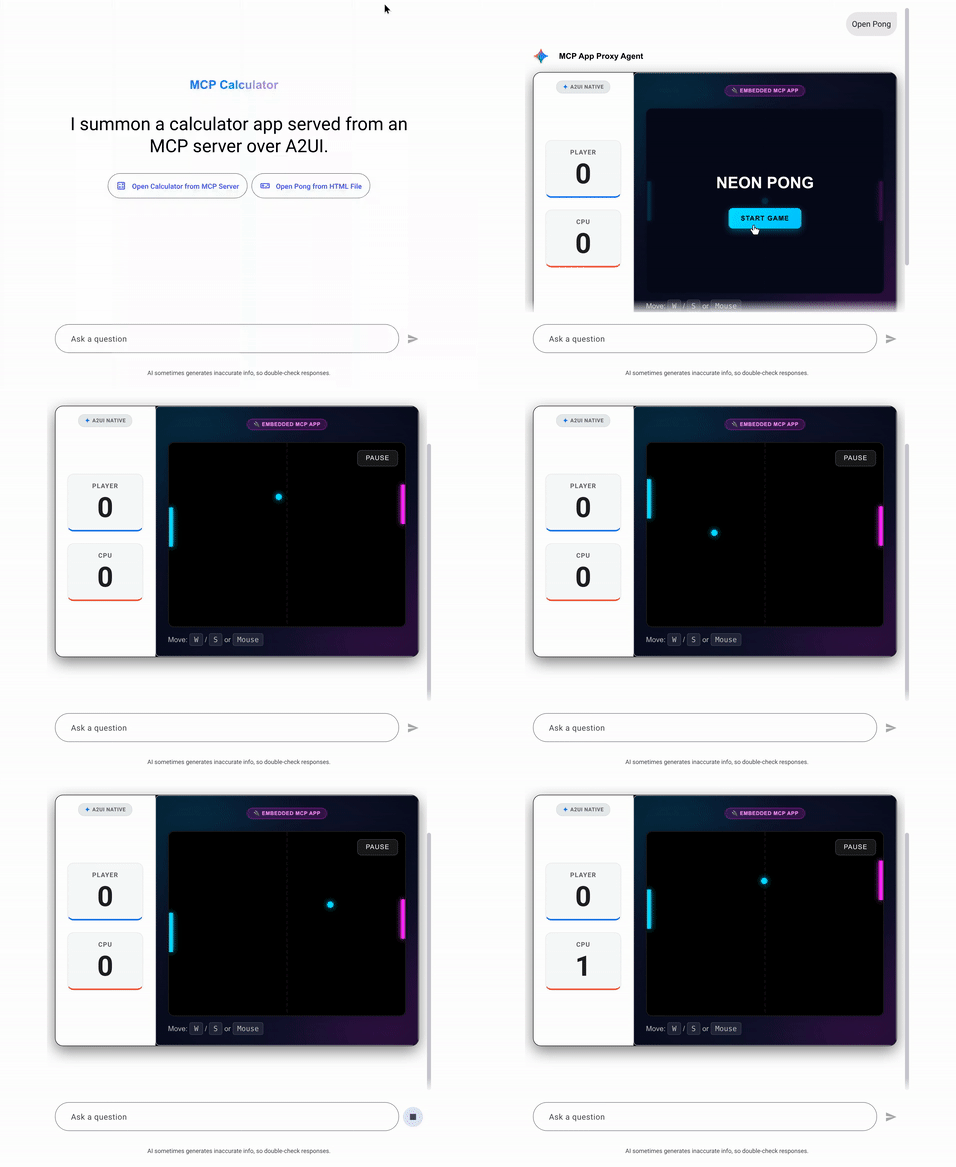
This sample runs an SSE Calculator MCP server, a Python ADK proxy agent, and an Angular client hosting calculator and Pong widgets in separate sandboxed iframes:
-
Start the Calculator MCP server on
http://localhost:8000(pass--port 8001if port8000is in use):Terminal window cd samples/community/mcp/mcp-apps-calculator/uv run . -
In a second terminal, start the MCP proxy agent on
http://localhost:10006:Terminal window cd samples/community/agent/adk/mcp_app_proxy/export GEMINI_API_KEY="your-api-key"uv run . -
Build the monorepo renderer packages at the repository root, then install and start the Angular client on
http://localhost:4200:Terminal window yarn build:allcd samples/community/client/angular/yarn installyarn start mcp_calculator -
Open
http://localhost:4200/?disable_security_self_test=truein your browser. Because this pre-v1.0 sample serves its proxy iframe on the samelocalhostorigin without@a2ui/catalog-mcp’s automatic origin check, pass?disable_security_self_test=truein the URL to skip the cross-origin self-test during local development:Calculator App Pong App 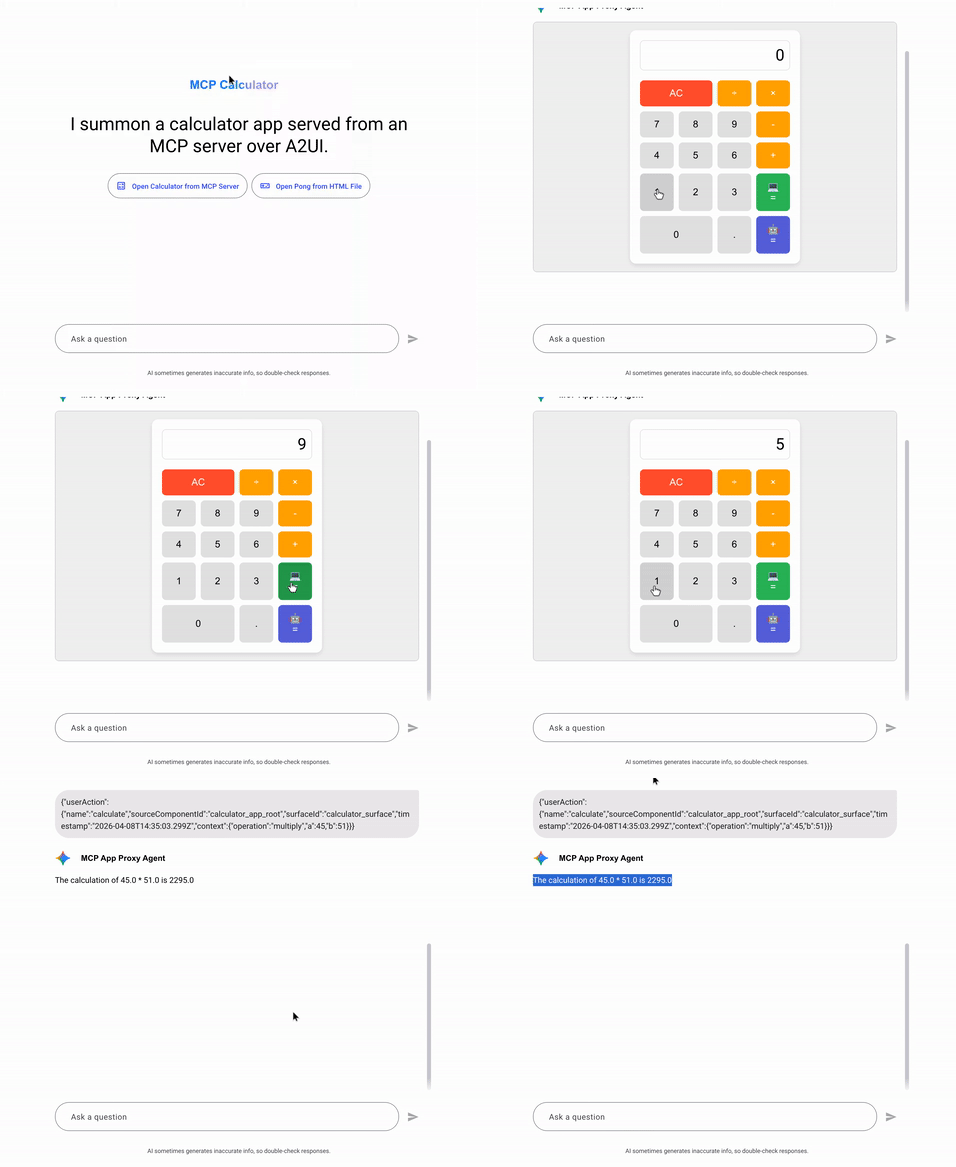
Troubleshooting the samples
If a sample fails to build or load, check these common issues:
| Symptom | Fix |
|---|---|
GEMINI_API_KEY environment variable not set | Export GEMINI_API_KEY in that terminal, add a .env file in the agent directory, or set KANBAN_AGENT=scripted for the Kanban agent. |
Kanban client fails to compile @a2ui/catalog-mcp or @a2ui/lit | Run yarn install, yarn workspace @a2ui/catalog-mcp run build, and yarn workspace @a2ui/lit run build at the repository root first. |
Port 8788 or 10007 is already in use on Kanban | Start the service on another port and pass ?mcp_url=http://localhost:<port>/mcp&agent_url=http://localhost:<port> to http://localhost:5173/. |
| Angular client shows a blank page or missing renderer imports | Run yarn build:all at the repository root before running yarn start mcp_calculator in samples/community/client/angular/. |
ng serve not found in the Angular sample | Run yarn install inside samples/community/client/angular/ to install @angular/cli. |
"URL with hostname not allowed" in Angular | Open http://localhost:4200/ rather than 0.0.0.0 (Angular’s dev server restricts allowed hosts by default). |
| Security self-test error in the pre-1.0 Angular sample | Append ?disable_security_self_test=true to http://localhost:4200/. |
How McpApp works under the hood
When you move beyond the samples and review McpApp for production, two design choices matter most: how untrusted HTML is isolated from your host app, and how state crosses that boundary safely.
Double-iframe sandbox
Putting third-party HTML in a single iframe with both allow-scripts and allow-same-origin is unsafe because scripts inside that frame share your app’s origin and can read cookies, web storage, or window.parent.document.
Instead, McpApp uses two nested iframes. An outer proxy frame loads /a2ui-sandbox/sandbox.html, checks message origins, and injects the untrusted HTML into an inner srcdoc iframe with sandbox="allow-scripts" only. Without allow-same-origin, the browser assigns the inner frame a unique opaque origin (null), blocking access to your app’s DOM, cookies, and storage.
In the diagram below, the host web application renders an A2UI surface containing McpApp (a2ui-mcp-app). That element exchanges origin-checked postMessage events with the outer /a2ui-sandbox/sandbox.html proxy iframe, which relays JSON-RPC 2.0 messages to and from the inner srcdoc iframe running on an opaque origin with sandbox='allow-scripts'.
flowchart TD subgraph HostApp ["Host Web Application"] A["A2UI surface"] --> B["McpApp (a2ui-mcp-app)"] end subgraph OuterProxy ["Outer Sandbox Proxy"] B <-->|"Origin-checked postMessage"| C["iframe /a2ui-sandbox/sandbox.html"] end subgraph InnerFrame ["Embedded MCP App"] C <-->|"JSON-RPC 2.0 relay"| D["iframe srcdoc (opaque origin, sandbox='allow-scripts')"] endAdvanced: outer proxy checks, CSP allowlists, and authoring constraints
Each McpApp instance enforces the following rules across its two frames:
- The outer frame loads
sandbox.htmlfrom/a2ui-sandbox/on your app’s origin, or from a dedicated sandbox origin set viaconfigureMcpCatalog({sandbox: {baseUrl}}). When hosted on a separate origin,sandbox.htmlruns a startup self-test verifying that it cannot reachwindow.top; on the same origin,@a2ui/catalog-mcpdisables that check automatically. - The inner frame receives
sandbox="allow-scripts"only. Omittingallow-same-originisolates cookies and storage, omittingallow-top-navigationandallow-top-navigation-by-user-activationprevents frame-busting redirects (window.top.location = "..."), and omittingallow-popups,allow-forms, andallow-modalsblocks unprompted windows, form submissions, and modal dialogs. - Before injecting
srcdoc, the outer proxy applies any Content Security Policy domain allowlists incsp(_meta.ui.csp) and browser capability flags inpermissions(_meta.ui.permissions, such ascamera,microphone,geolocation, andclipboard-write).
If you are authoring an MCP App to run inside this sandbox, keep three browser restrictions in mind:
localStorage,sessionStorage,IndexedDB, and cookies throw security errors inside an opaquenullorigin. Persist state on the MCP server viatools/callor synchronize it with the host surface viadata.paths.window.parent.documentandwindow.topare blocked. Request iframe height updates withui/notifications/size-changed, and open externalhttp:orhttps:links in a new tab withui/open-link.- External network requests, images, fonts, and subframes inside
srcdocare blocked unless the MCP resource lists their domains under_meta.ui.csp(connectDomains,resourceDomains,frameDomains,baseUriDomains).
To serve /a2ui-sandbox/ in your bundler and configure McpApp properties, see Set up McpApp in your web app. For the startup handshake (ui/notifications/sandbox-proxy-ready, ui/notifications/sandbox-resource-ready, and ui/initialize), see the MCP App component specification.
Synchronizing state and tool calls
Once the sandbox loads, McpApp bridges four communication paths over JSON-RPC 2.0: reactive two-way data paths shared with sibling A2UI components, direct MCP tool calls from the browser, local A2UI catalog function calls, and follow-up messages or context updates sent to the agent.
In the diagram below, the host web application holds MessageProcessor and the surface data model alongside McpApp and its sibling A2UI components. McpApp synchronizes bound data.paths keys and allowedFunctions locally with MessageProcessor, calls allowed MCP tools directly via getMcpClientForTool, and forwards a2ui.mcpAppMessage actions and modelContext state to the AI agent, which can invoke MCP tools and stream updateDataModel or updateComponents messages back to MessageProcessor.
flowchart TD    MCPServer["MCP Server (tools and ui:// HTML resources)"]    Agent["AI Agent (streams A2UI v1.0 messages)"]
    subgraph HostApp ["Host Web Application"]        direction TB        Processor["MessageProcessor and Surface Data Model"]
        subgraph SurfaceTree ["A2UI Surface"]            McpComponent["McpApp Component (double-iframe HTML widget)"]            Siblings["Sibling A2UI Components (Text, Button, TextField)"]        end
        McpComponent <-->|"1. Two-way data.paths and allowedFunctions"| Processor        Processor <-->|"Reactive @path and @call bindings"| Siblings    end
    McpComponent ==>|"2. Direct tools/call (getMcpClientForTool)"| MCPServer    Siblings ==>|"callMcpTool"| MCPServer    Processor ==>|"3. a2ui.mcpAppMessage and modelContext"| Agent    Agent <==>|"MCP tool calls"| MCPServer    Agent ==>|"4. updateDataModel or updateComponents"| Processor
Advanced: JSON-RPC 2.0 channels and how the Kanban showcase uses them
McpApp communicates with the embedded widget using @modelcontextprotocol/ext-apps/app-bridge plus A2UI v1.0 extensions across four channels:
- Two-way local data binding (
data.paths). When a bound path in the surface data model changes (from a sibling input, a client function, or anupdateDataModelmessage from the agent),McpAppsendsui/notifications/data-model-updateto the widget (plus standardui/notifications/tool-inputandui/notifications/tool-resultnotifications whentoolInputortoolResultare bound). When the widget emitsui/notifications/data-model-change,McpAppwrites the new value to the bound path so sibling A2UI components update immediately. - Direct MCP tool execution (
tools/call). When the widget calls a tool listed inallowedToolsand the host registeredgetMcpClientForToolviaconfigureMcpCatalog,McpAppcalls the MCP server directly and returns theCallToolResult. If no browser MCP client is configured,McpAppdispatches an A2UI action named after the tool so a backend proxy agent can run it instead. Unlisted tool names are rejected with a JSON-RPC error. - Local catalog function calls (
ui/requests/function-call). WhenallowedFunctionsmaps A2UI catalog function names to JSON Schemas for their arguments, the widget can validate arguments and invoke those functions locally on the surface. - Agent context and follow-up turns (
ui/update-model-contextandui/message). Callingui/update-model-contextwrites the widget’s active selection or filter state to the boundmodelContextpath in the surface data model so your host can attach it to the next user turn. Callingui/messagedispatches ana2ui.mcpAppMessageaction so the host can forward a prompt or event from the widget to the agent.
In the Kanban showcase above, every interaction maps to one of these channels:
- Asking the agent to move or create tasks calls MCP tools on the server and streams
updateDataModelto/kanban/board, whichMcpAppforwards viaui/notifications/data-model-update. - Selecting a card or filtering by assignee calls
ui/update-model-context, writing/kanban/modelContextand/kanban/selectionfor the next chat turn. - Dragging a card sends
ui/notifications/data-model-changeforboard, updating/kanban/boardlocally and recomputing the siblingTextcolumn and WIP badges (bound via@call: transformData). - Dropping a card (
tools/callplusui/message) or clicking “Ask agent to split” (ui/message) dispatchesa2ui.mcpAppMessageto the chat host. - Submitting the quick-add task bar chains
callMcpTool("create_task"),transformData, andupdateDataModelin the browser to update/kanban/boardwith zero agent turns.
Troubleshooting McpApp
The McpApp frame stays blank (404 under /a2ui-sandbox/)
Check that node_modules/@a2ui/catalog-mcp/sandbox is served at /a2ui-sandbox/ on your app’s origin (see Serve the sandbox files), or pass configureMcpCatalog({sandbox: {baseUrl}}) with the path where you host those files.
Tool or function calls from an embedded McpApp are rejected
Check the browser console for warnings. Every MCP tool the widget calls must be listed in allowedTools, and every A2UI function must be listed in allowedFunctions and registered in mcpCatalog or the surface’s catalog.
Next steps
- Install
@a2ui/catalog-mcpand invoke headless MCP tools in Call MCP Tools from A2UI. - Review the handshake lifecycle, JSON-RPC message schemas, and cycle-prevention rules in the MCP App component specification.
- Build an MCP server that returns reusable A2UI component layouts in Serve A2UI Layouts from an MCP Server.
- Bundle an A2UI renderer inside an MCP App in Render A2UI Inside an MCP App.